Pangraphy サポート
最終更新日: 2026-04-17
Pangraphy をご利用いただきありがとうございます。本ページではアプリに関するサポート情報、よくある質問、お問い合わせ先をご案内します。
アプリについて
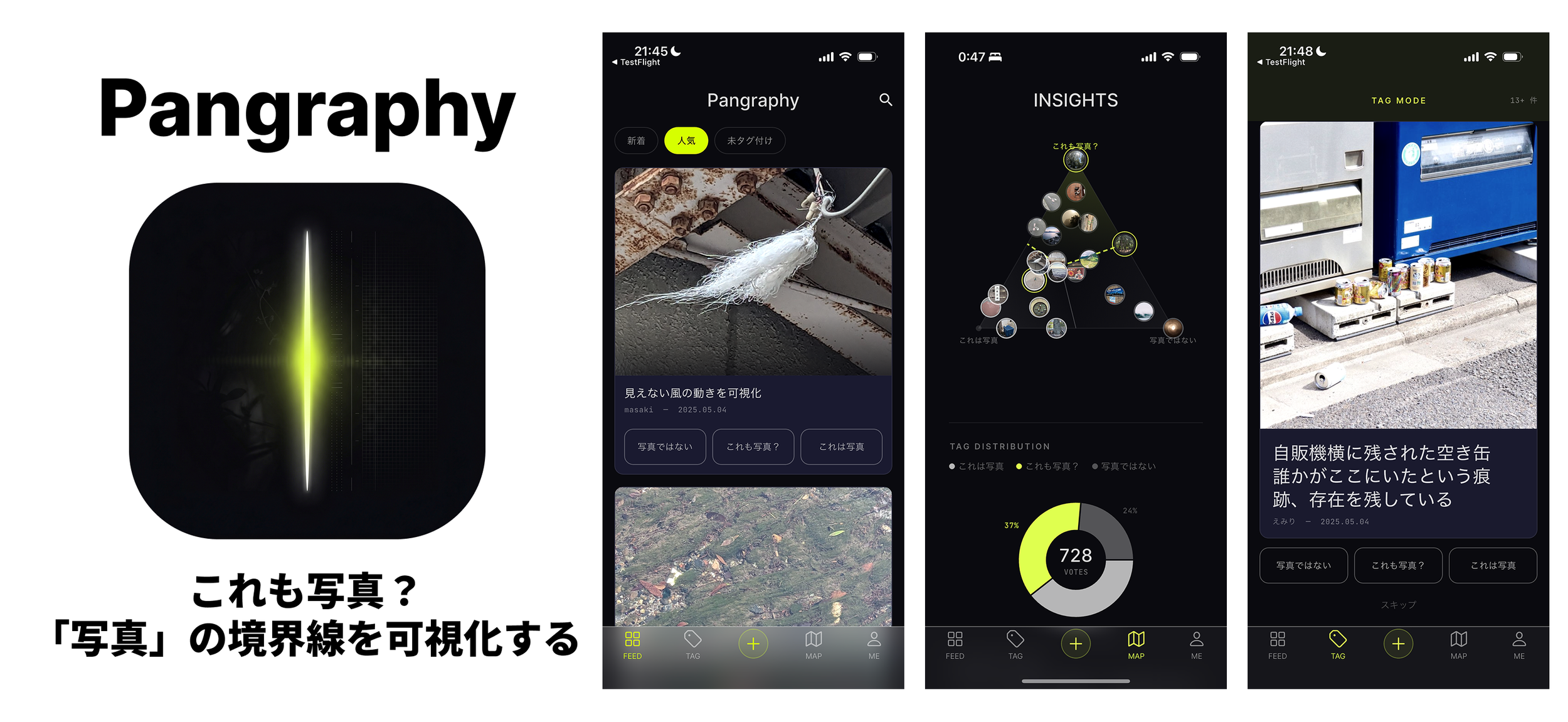
Pangraphy は、「これも写真?」と思う画像を投稿し、他のユーザーが 3 つのタグ(「これは写真」/「これも写真?」/「これは写真ではない」)で評価することで、集合知として「写真の輪郭」を可視化するフォトコミュニティアプリです。
- 開発元: f∞ studio(フー・スタジオ)
- 対応 OS: iOS 13.0 以降(iPhone)
- 価格: 無料
お問い合わせ
サポート・バグ報告・機能リクエストは下記メールアドレスまでご連絡ください。
サポート メール: ishicca+pangraphy@gmail.com
通常 2〜3 営業日以内に返信いたします(f∞ studio は少人数チームで運営しているため、返信に時間がかかる場合があります)。
よくある質問
Q1. アカウントの作り方は?
認証画面で次のいずれかを選べます。
- Apple でサインイン — Apple ID を使用
- Google でサインイン — Google アカウントを使用
- ゲストとして続ける — アカウント作成なしで全機能にアクセス可能
Q2. サインアウト / アカウント削除はどこから?
「Me」タブ右上の歯車アイコン(設定)→「サインアウト」または「アカウントを削除」から操作できます。アカウント削除は Firestore 上の投稿・投票データおよび Firebase Auth のユーザーレコードが完全に削除されます。
Q3. 投稿画像の位置情報は共有されますか?
デフォルトでは共有されません。 投稿画面の「位置情報を含めない」チェックボックスをオフにした場合のみ、EXIF に含まれる位置情報が投稿に付随します。
Q4. 不適切な投稿を見つけました。
投稿詳細画面の「⋯」メニューから「通報」を選択できます(自分以外の投稿のみ)。通報された投稿は運営が確認し、必要に応じて削除します。
Q5. ワークショップモードとは?
ワークショップ主催者から受け取った参加コードを「Me → 設定 → コードで参加」から入力すると、その期間限定のクローズドイベントに参加できます。ワークショップ内の投稿はグローバルフィードには表示されません。
Q6. 不具合が発生したときは?
上記のメールアドレスまで、以下の情報を添えてご連絡ください。
- 使用している iOS バージョン
- 端末モデル(例: iPhone 15 Pro Max)
- アプリバージョン(設定画面下部に表示)
- 発生した操作手順とエラー内容(可能ならスクリーンショット)
関連ドキュメント
Pangraphy Support
Last updated: 2026-04-17
Thank you for using Pangraphy. This page provides support information, FAQ, and contact details for the app.
About the App
Pangraphy is a photo-community app that explores the boundaries of photography through collective intelligence. Post images that make you wonder "is this also a photo?" and let others evaluate them with three tags: "This is a photo," "This is also a photo?," and "This is not a photo."
- Developer: f∞ studio
- Platform: iOS 13.0 or later (iPhone)
- Price: Free
Contact
For support, bug reports, or feature requests, please email us.
Support email: ishicca+pangraphy@gmail.com
We typically reply within 2–3 business days. As f∞ studio is a small team, responses may take longer during busy periods.
Frequently Asked Questions
Q1. How do I create an account?
On the auth screen, choose one of:
- Sign in with Apple — use your Apple ID
- Sign in with Google — use your Google account
- Continue as Guest — full access without creating an account
Q2. How do I sign out or delete my account?
Tap the gear icon in the top right of the "Me" tab (Settings), then select "Sign Out" or "Delete Account." Account deletion removes your posts, votes on Firestore, and your Firebase Auth user record.
Q3. Will my photo's location data be shared?
No, by default. The "Do not include location" checkbox is checked by default. Only if you uncheck it, the EXIF location data embedded in the photo will be attached to your post.
Q4. I found inappropriate content.
On the post detail screen, tap the "⋯" menu and select "Report" (available only on others' posts). Reports are reviewed by the team and posts are removed as needed.
Q5. What is Workshop Mode?
When you receive a join code from a workshop host, enter it via "Me → Settings → Join by Code." You'll be added to that private, time-limited closed event. Workshop posts do not appear in the global feed.
Q6. How to report a bug?
Please email us with the following information:
- iOS version
- Device model (e.g., iPhone 15 Pro Max)
- App version (shown at the bottom of Settings)
- Steps to reproduce and the error (screenshot helpful)